Free FBA tool
Sell-Through Rate Calculator
Your numbers
Sell-through rate
70.0%
350 of 500 units sold in 30 days. 150 units still to sell.
Units remaining
150
Still sellable from the batch
Sell-through velocity
11.7/day
Average units sold per day
Days to clear the rest
12.9 days
At the current pace
Days to sell the batch
42.9 days
Whole shipment, start to finish
42.9 days: At this pace the batch clears in a healthy window for most FBA SKUs.
Inventory Hero
Sell-through on every shipment, in real time
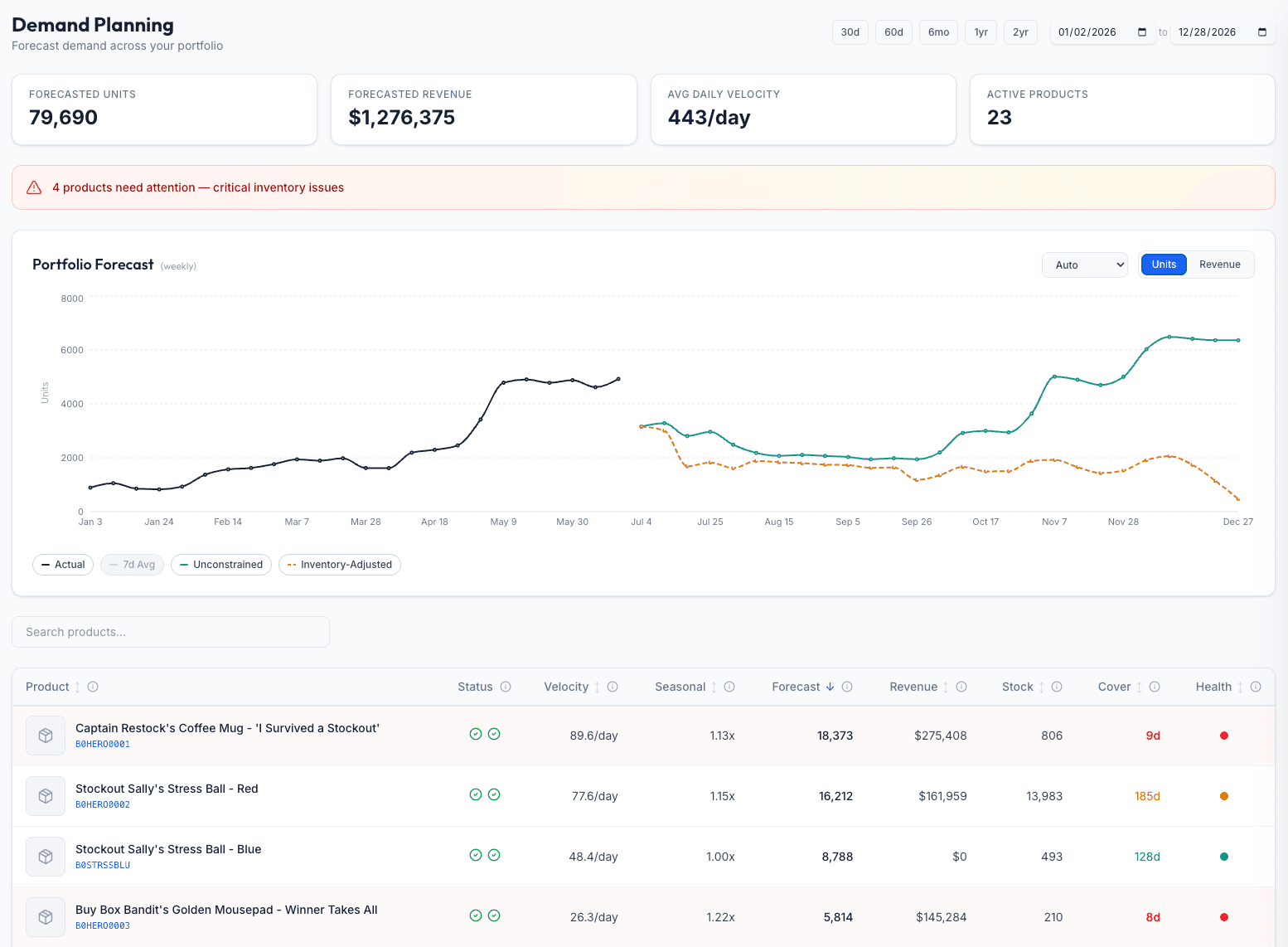
This page checks one batch from numbers you type in. Inventory Hero tracks sell-through on every shipment automatically from your sales feed, so you see which launches are accelerating and which are stalling, and get a reorder nudge before a fast mover runs dry.
- Live sell-through per shipment, no manual counting
- Velocity trends that flag accelerating and stalling SKUs
- Reorder timing tied to how fast the batch is draining
No credit card required.
How sell-through works
Sell-through rate
Sell-through = units sold / units sent into FBA x 100
The remaining units are what is still sellable from the batch. Dividing the units sold by the days in the window gives your daily velocity, and the velocity projects how long the rest, and the whole shipment, take to clear.
Worked example
You sent 500 units into FBA. Thirty days later, 350 have sold.
- Sell-through: 350 / 500 = 70%
- Remaining: 150 units still to sell
- Velocity: 350 / 30 = about 11.67 units a day
- Time to clear the rest: 150 / 11.67 = about 12.9 more days
- Whole batch: about 42.9 days start to finish (healthy)
At 70% in 30 days with under two weeks of stock left, this batch is selling well, and you are close to the point where you should already be reordering. Size the next order with the restock calculator, confirm the stock level that should trigger it with the reorder point calculator, and use the inventory turnover calculator for the year-round efficiency view.
Key terms
- Sell-through rate
- The percent of a received batch that has sold during a window: units sold divided by units sent in. A launch-and-replenishment health check.
- Sell-through velocity
- Units sold per day over the window. It is what turns a static percentage into a projection of when the batch will clear.
- Days to sell the batch
- How long the whole shipment takes to sell at the current pace. Compare it to your replenishment lead time to know if you are reordering in time.
Frequently asked questions
What is sell-through rate?
Sell-through rate is the share of a batch of inventory that has sold over a period. You take the units sold during the window, divide by the units you received (or sent into FBA) for that product, and multiply by 100. If you sent in 500 units and 350 sold in the first 30 days, your sell-through is 70%. It tells you whether demand is keeping up with the stock you committed.
What is a good sell-through rate?
It depends entirely on the window. A common healthy benchmark is roughly 40 to 70% in the first 30 days for an established product; under 40% suggests the batch is moving slowly. For a new launch, aim higher, 70% or more in the first 30 days, because early sales velocity feeds your organic rank. Because the right number moves with the period, this calculator also projects how many days it would take to sell the whole batch at the current pace, which is easier to judge against your lead time than a raw percentage.
Is this the same as the sell-through rate in Amazon's Inventory Performance dashboard?
No, and the difference matters. This calculator measures whether a specific shipment is moving: units sold divided by units you sent in, as a percentage capped at 100. Amazon's Inventory Performance (IPI) dashboard uses a different formula, a rolling 90-day ratio of units sold to average units on hand, which behaves like a turnover figure and can read well above 100%. They answer different questions. Use this page for 'is this batch clearing fast enough,' and check Seller Central for the number that feeds your IPI score and storage limits.
How is sell-through different from inventory turnover?
Sell-through looks at one shipment over one window: of what you just sent in, how much has sold. Turnover is an annual, steady-state ratio across your average stock. Sell-through is the launch-and-replenishment view; turnover is the year-round efficiency view. Use the inventory turnover calculator for the annual picture.
How do I use sell-through to decide when to reorder?
Watch the velocity and the days-to-clear, not just the percentage. If a batch is selling fast enough that it will clear before your replenishment lead time is up, you are already late to reorder. Pair this with your lead time and a reorder point: the sell-through pace tells you how quickly the buffer is draining, and the reorder point calculator tells you the stock level that should trigger the next purchase order.
What if I sold more units than I sent in?
That usually means a mid-window restock blurred the batch, so the units sold include stock from more than one shipment. Sell-through against a single received quantity cannot exceed 100%, so the calculator caps it there and flags it. For a clean read, measure sell-through per shipment, or reset the window to start when the latest batch went live.
Inventory Hero
Catch a fast mover before it sells out
Inventory Hero watches sell-through on every shipment from your live sales, flags the batches accelerating toward a stockout, and tells you when to reorder, so a strong launch never turns into an out-of-stock listing.
30-day free trialNo credit card required.
Embed this calculator
Free to use on your own site or blog. Paste this snippet where you want the calculator to appear. It keeps a small credit link back to Inventory Hero.
<iframe src="https://www.inventoryhero.ai/embed/sell-through-rate-calculator?utm_source=embed&utm_medium=iframe" title="Sell-Through Rate Calculator by Inventory Hero" width="100%" height="720" style="border:1px solid #e5e5e5;border-radius:16px;max-width:680px" loading="lazy"></iframe>
<p style="font:13px/1.5 system-ui,sans-serif;text-align:center;margin:8px 0 0"><a href="https://www.inventoryhero.ai/tools/sell-through-rate-calculator">Sell-Through Rate Calculator</a> by Inventory Hero</p>See all our free Amazon FBA calculators.