Free FBA tool
Reorder Point Calculator
Your numbers
Not sure? Size it on the safety stock calculator first. A wrong buffer here means a wrong reorder point.
Reorder point
1,550 units
Place your next order when sellable stock falls to 1,550: that is 1,350 units of lead-time demand plus 200 units of safety stock, about 51.7 days of cover.
Lead-time demand
1,350
30/day x 45 days
Safety stock
200
The buffer you set
Reorder point
1,550
Trigger your order here
Days of cover
51.7 days
What the trigger represents
Check your sellable (available) units in Seller Central: at or below 1,550, place your order today. Need to size the safety stock first? Use the safety stock calculator; for how many units to actually send, the restock calculator.
Get reorder points set per SKU with Inventory HeroInventory Hero
A live reorder point for every SKU
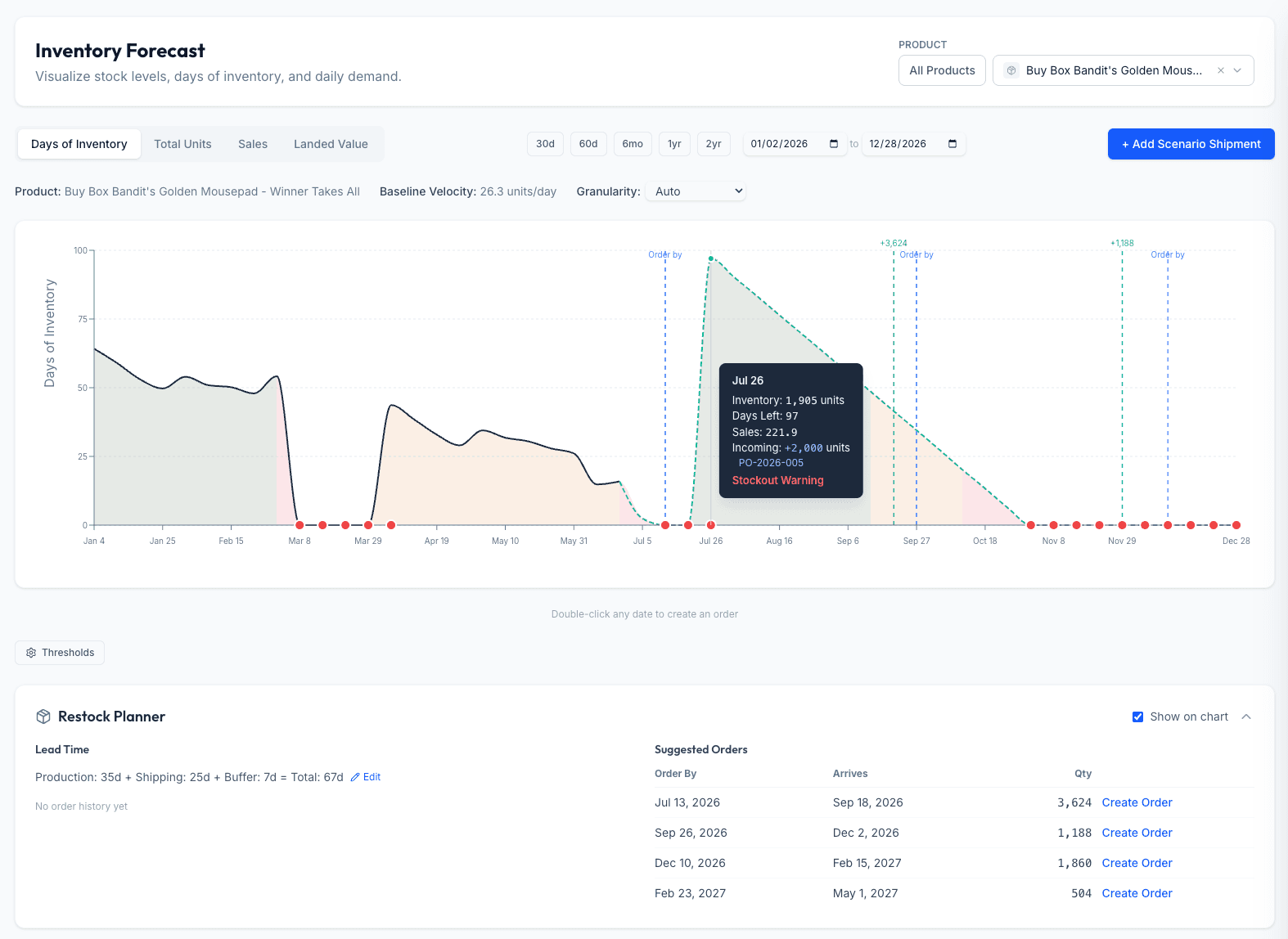
The formula is one SKU at one moment. Inventory Hero measures each product's real velocity and lead time, keeps its reorder point current as they move, and alerts you the day stock crosses the trigger, so you act on the number instead of recomputing it.
- Reorder points kept current from real sales and lead times
- Alerts the day a SKU hits its trigger level
- Safety stock and order quantity handled in the same place
No credit card required.
The reorder point formula
Reorder point
Reorder point = (average daily sales x lead time) + safety stock
The first term is lead-time demand: what you will sell while a replacement order is on its way. Safety stock is the buffer for demand and lead-time variability. Add them, and you have the on-hand level at which to place the order.
Worked example
A SKU sells 30 units a day. Its full FBA lead time, production plus freight plus Amazon receiving, is 45 days. You hold 200 units of safety stock.
- Lead-time demand: 30 x 45 = 1,350 units
- Safety stock: 200 units
- Reorder point: 1,350 + 200 = 1,550 units
- What that means: reorder when sellable stock hits 1,550, about 51.7 days of cover
Size the safety stock with the safety stock calculator, then use the restock calculator to turn this trigger into how many units to send.
Key terms
- Lead-time demand
- How many units you expect to sell during the lead time: average daily sales times lead-time days. It is the part of the reorder point that covers normal sales while your replacement order is in transit.
- Safety stock
- The buffer you hold on top of lead-time demand to absorb demand spikes and late shipments. Size it statistically from your demand variability and service level; here you enter the resulting unit count.
- Reorder point
- The on-hand level that triggers your next order: lead-time demand plus safety stock. Hit it, and you place the order so new units arrive before you run out.
More in the glossary: reorder point, safety stock, and lead time.
Frequently asked questions
What is the reorder point formula?
The reorder point formula is: reorder point = lead-time demand + safety stock. Lead-time demand is your average daily sales times your lead time in days (how much you will sell while a new order is in transit). Safety stock is the buffer you hold for variability. When sellable stock falls to the reorder point, you place your next order so it arrives before you run out.
How do I calculate the reorder point?
Multiply your average daily sales by your lead time to get lead-time demand, then add your safety stock. For a product selling 30 units a day with a 45-day lead time and 200 units of safety stock: lead-time demand is 30 x 45 = 1,350, so the reorder point is 1,350 + 200 = 1,550 units. You reorder when sellable inventory hits 1,550, which is about 51.7 days of cover at that velocity.
What is the difference between the reorder point and safety stock?
Safety stock is just the buffer for uncertainty; the reorder point is the full trigger level that includes it. Reorder point = expected demand during the lead time + safety stock. Safety stock answers how much cushion to hold; the reorder point answers at what on-hand level to actually place the order. Size the safety stock first, then it drops into this formula.
How is the reorder point different from the reorder quantity or EOQ?
They answer different questions. The reorder point is WHEN to order (the stock level that triggers it). The reorder quantity, often set with the EOQ (economic order quantity), is HOW MUCH to order. You use the reorder point to time the order and the EOQ to size it; together they tell you when to buy and how much.
What lead time should I use for Amazon FBA?
Use the full pipeline, not just manufacturing: supplier production time, plus freight transit, plus Amazon receiving and check-in. For overseas private label that total is commonly 45 to 75 days. Using only the factory lead time is the most common reason a reorder point is set too low and a seller stocks out while units are still on the water. If your lead time itself is unreliable (ocean freight can swing by weeks), absorb that with more safety stock rather than by inflating the reorder point.
How is this different from the FBA restock calculator?
This page is the reorder point formula on its own: you supply the safety stock and it returns the trigger level. The FBA restock calculator is the fuller tool, it sizes safety stock for you from your demand variability and service level, then adds a suggested order quantity on top. Use this page when you already have your safety stock number and just want the reorder point; use the restock calculator when you want safety stock and order quantity worked out too.
Inventory Hero
Never recompute a reorder point by hand
The formula is a snapshot. Inventory Hero keeps a live reorder point for every SKU from its real velocity and lead time, and tells you the day stock crosses it, so you reorder on time without running the math each week.
30-day free trialNo credit card required.
Embed this calculator
Free to use on your own site or blog. Paste this snippet where you want the calculator to appear. It keeps a small credit link back to Inventory Hero.
<iframe src="https://www.inventoryhero.ai/embed/reorder-point-calculator?utm_source=embed&utm_medium=iframe" title="Reorder Point Calculator by Inventory Hero" width="100%" height="720" style="border:1px solid #e5e5e5;border-radius:16px;max-width:680px" loading="lazy"></iframe>
<p style="font:13px/1.5 system-ui,sans-serif;text-align:center;margin:8px 0 0"><a href="https://www.inventoryhero.ai/tools/reorder-point-calculator">Reorder Point Calculator</a> by Inventory Hero</p>See all our free Amazon FBA calculators.